 Block Code switch basic
Block Code switch basic
Block Code switch basicWith this control element something is only switched after a code has been entered – for example opening the garage door or arming the alarm system. The code has four to eight digits and can be changed at any time.
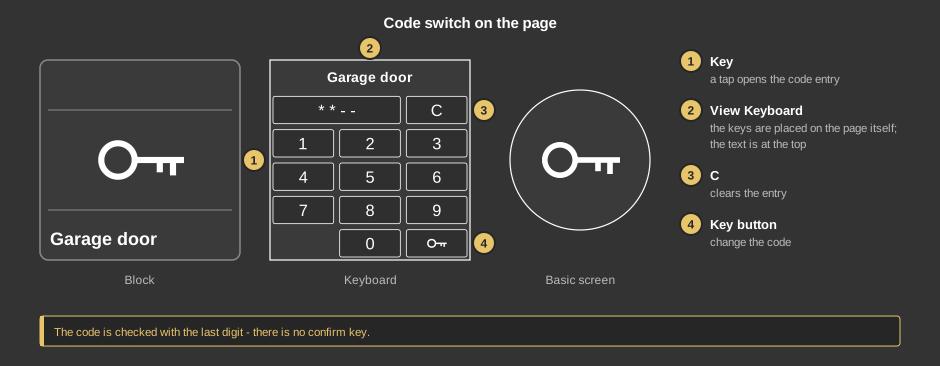
The code is checked with the last digit, there is no confirm key.
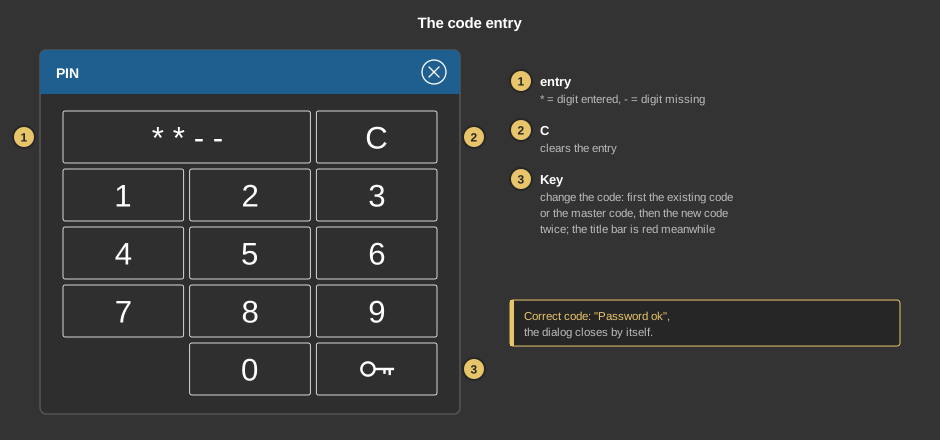
The code is kept in the controller and therefore applies to all devices. Without a connection to the controller it cannot be checked; under Windows the hint Controller not connected appears.
This section is meant for the installer of the system.
The control element works without a function block: the variable Trigger is linked directly at the control element. What is sent on a correct code is set by the parameter Trigger.
Display |
|
| View | Block, Basic screen, List or Keyboard. With Keyboard the keys are placed in the control element itself. |
| Text | Caption of the tile or title of the keyboard, default Code einfach. Its size scales with the element, a line break is inserted with \n, two lines at most. |
Code |
|
| Length | Number of digits of the code, 4 to 8, default 4. |
| Master | Master code, default 1234. It applies as code as long as none has been changed, and opens changing the code when the previous one is no longer known. |
| Trigger | What is sent to the variable Trigger on a correct code:
|
| Trigger | Output sent on a correct code, see parameter Trigger. Without this variable the control element switches nothing. |
See also General properties of all control elements.