 Block Actual value display
Block Actual value display
Block Actual value displayThis control element shows a value of the system – for instance a temperature, a power or a meter reading – with a caption. It is only used for display.
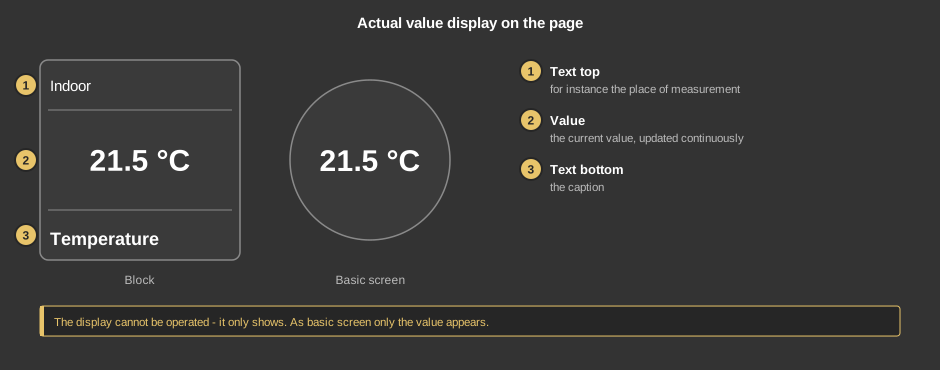
The display cannot be operated. As a circle (basic screen) it only shows the value.
This section is meant for the installer of the system.
The variable is linked under Actual value. The number shown is the value of the variable times Factor, minus the Offset.
Display |
|
| View | Block or Basic screen. The third choice List (obsolete) comes from older projects and should no longer be used. |
| Text top | Text in the upper line. Empty (default): the line stays free. |
| Text bottom | Caption of the tile. Its size scales with the element, a line break is inserted with \n, two lines at most. Default “Istwert” (actual value). |
Display value |
|
| Format | Format of the value, see Formatting the value display. Default %d. |
| Factor | The value is multiplied by it. Default 1; 0 acts like 1. |
| Offset | Is subtracted from the value after the factor. Default 0. |
| Zoom text step | Size of the value in percent of the available area, default 80. |
| Actual value | The value shown; every change appears at once. Not linked: 0 is shown. |
See also General properties of all control elements.