Block Weather (OpenWeather)
This control element shows the current weather at the location of the
building – temperature, wind and a weather symbol – and on a tap opens a
forecast for the day and the next four days. The data comes from the
internet service OpenWeather; it is a rough preview, not a measurement on
site.
Operation
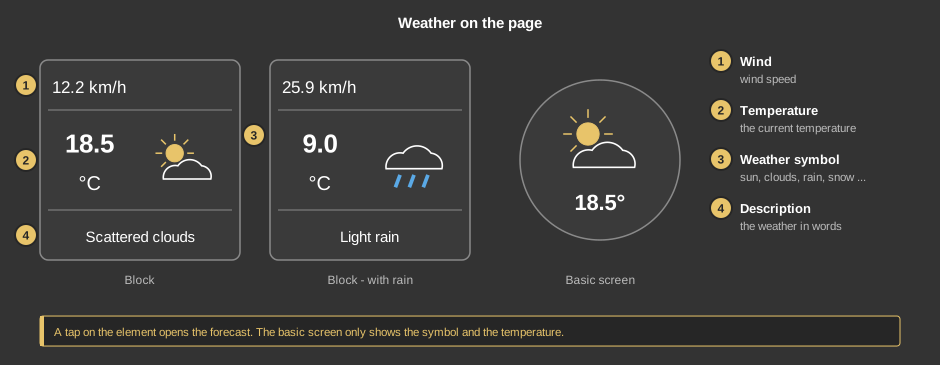
- Wind: the wind speed in km/h.
- Temperature: the current temperature in °C.
- Weather symbol: sun, clouds, rain, snow, thunderstorm or fog –
as reported by the weather service.
- Description: the weather in words, for example “Light rain”.
The weather service always delivers this text in German.
As a circle (basic screen) the element only shows the weather symbol and
the temperature below it. In both views a tap on the element opens the
forecast.
The forecast – day
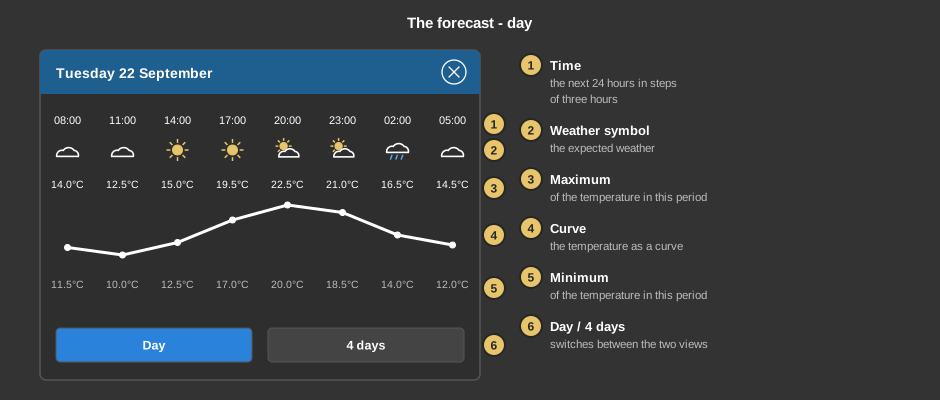
The forecast always opens in this view. The title bar shows the date; below
follow the next 24 hours in eight periods of three hours each.
- Time: the start of the period.
- Weather symbol: the weather expected in this period.
- Maximum: the highest expected temperature of the period.
- Curve: the temperature as a curve – you can see at a glance when
it gets warmest.
- Minimum: the lowest expected temperature of the period.
- Day / 4 days: switches between this view and the preview of four
days.
The forecast – 4 days
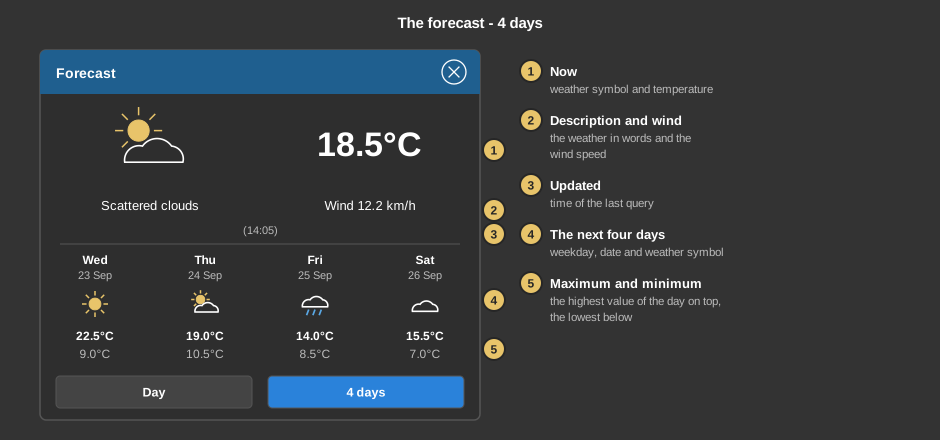
- Now: the current weather symbol and the temperature.
- Description and wind: the weather in words and the wind
speed.
- Updated: the time at which the data was last queried.
- The next four days: weekday, date and weather symbol per
day.
- Maximum and minimum: the highest expected temperature of the day
on top, the lowest below. Below the days is the time at which the forecast
was queried.
The cross in the title bar closes the forecast.
Setup
This section is meant for the installer of the system.
The control element is linked with the
function block Weather
(OpenWeather): first create the function block and enter the API key
there, then right-click the control element and choose the function block.
Without a link, a tap on the element points this out.
- The location of the weather data are the coordinates of the project; if
none are entered there, the coordinates at the function block apply.
- How often the data is queried is set at the function block. The control
element fetches the latest state from the controller when the page and the
forecast are opened.
- The controller needs a permanent internet connection for this. The data
is suitable for display, not for control purposes.
Parameters
| View |
Block (tile as shown above) or Basic
screen (circle with symbol and temperature). |
Variable links
The control element has no variables of its own. It reads the weather data
directly from the linked
function block.
See also General properties of all control
elements.