 Remote access Remote access
With this function, devices in the network in which the controller is located can be addressed via a TCP tunnel. Using an external IP gateway located in the same network, KNX devices can be programmed via ETS. Communication takes place via the integrated VPN, no port forwarding is required.
Optionally, the controller's internal IP gateway can also be used (from image version 3.0 onwards).
Important: For programming KNX devices via the internal IP gateway with ETS 6.1 or newer, the image version of the controller must be at least 4.011. The internal IP gateway is third-party software, on whose development we have no influence. We also have no influence on software changes to the ETS programming software, so the function cannot be guaranteed with future updates of the ETS software.
In addition, the internal IP gateway only supports the standard APDU length of 15. Devices whose download requires longer telegrams — in particular the secure commissioning of KNX Data Secure devices — cannot be programmed via it; in this case the ETS reports "Insufficient APDU length (limited to 15 by the capabilities of the bus interface)". For such devices, either secure commissioning must be disabled in the ETS or an external IP gateway must be used.
Remote programming via VPN can be activated through the Controller - Remote programming menu.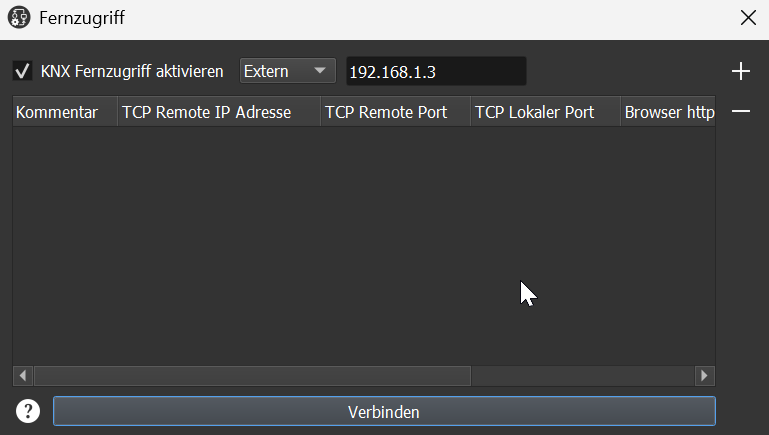
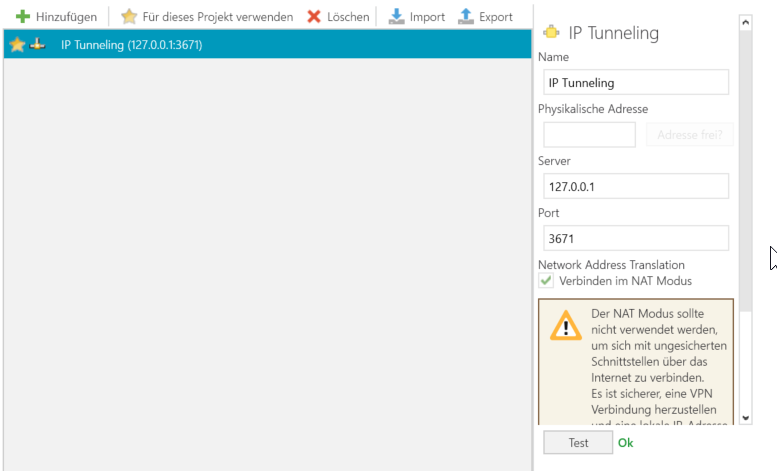
With this function, a device in the remote network in which the controller is located is connected to the local network. A tunnel is established from the remote network to the local computer. For example, to access the web interface of a device, create a connection with the IP address and port 80.
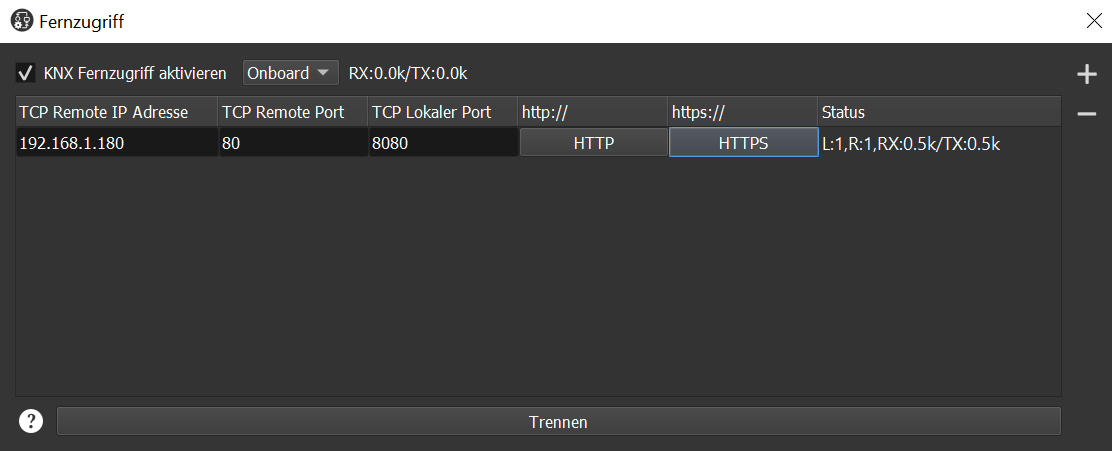
The local port can be chosen freely; it just must not be occupied by
another application. In the example above, local port 8080 is used instead
of 80. Therefore, http://127.0.0.1:8080 must be entered in the browser
because this does not correspond to the standard port for http.
Tip: Most browsers automatically switch to https if it has not been specified explicitly; if the device only supports http, the connection does not work. Therefore, http:// or https:// should always be specified in the browser.
For easier access, you can use the two buttons HTTP and HTTPS; these open the standard browser with the corresponding URLs.
Important: Please note the disclaimer when using the VPN service.