 Block Pool
Block Pool
Block PoolThis control element shows and operates a swimming pool: at a glance the water temperature, how far the filter pump has already got with its daily target and what the system is doing at the moment. In the dialog the filter pump, the cover, the backwash and the light are operated and the setpoints for heating and water care are set.
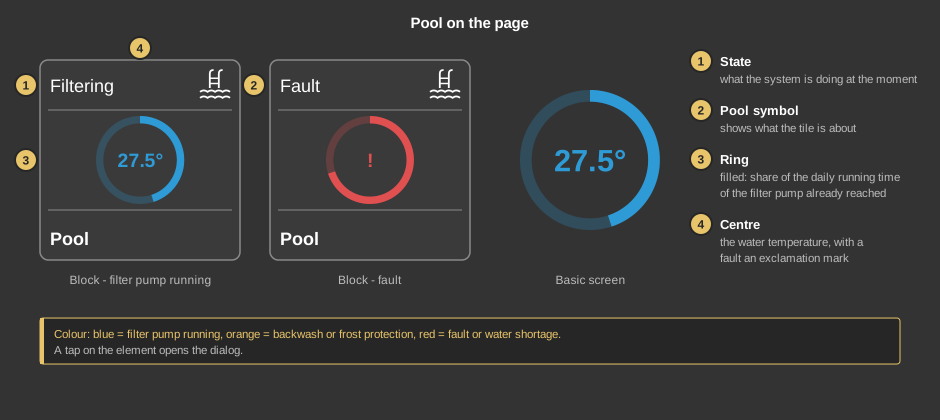
The colour shows the state: blue the filter pump is running, orange a backwash or the frost protection is running, red means fault or water shortage. Otherwise the ring has the font colour. On the basic screen only the ring is shown. A tap on the element opens the dialog.
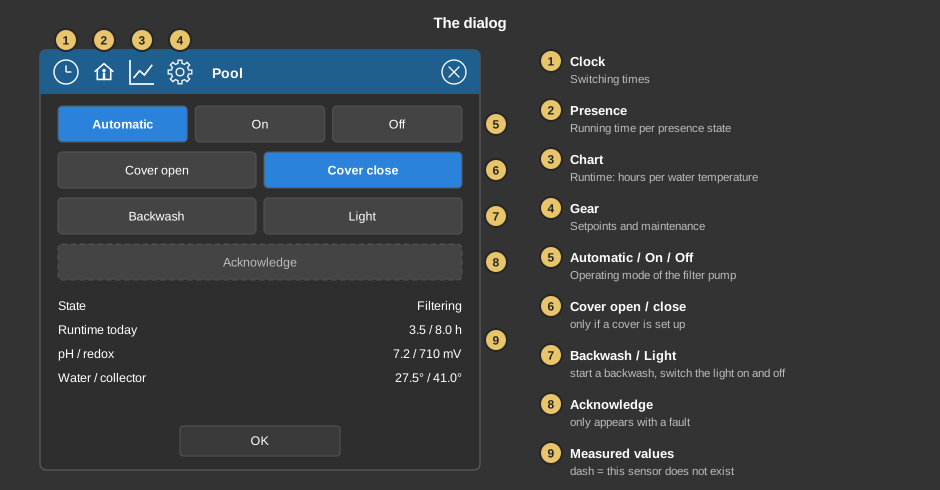
A pressed button lights up briefly until the controller has taken over the command. OK closes the dialog.
Behind the clock are the switching times. Each one triggers an action: Filter pump on or off, Backwash, Cover open or close, Lighting on or off and Automatic; a tap on the value steps through them. The actions for the cover only exist with a cover. A newly created switching time is set to No action and switches nothing. Filter pump on and off act like the buttons in the dialog and stay until a switching time with Automatic comes – the daily filter time needs no switching times, the block computes it itself.
Under Presence, for each state – present, absent, holiday – the share of the daily running time from 0 to 200 % is given: 100 % leaves the running time unchanged, 50 % halves it. A tap on the symbol switches the setting for this state on and off, a tap on the value opens the input. By default no state has a setting, so the full running time always applies. How switching times and presence are operated is described under Presence and Block Time switch.
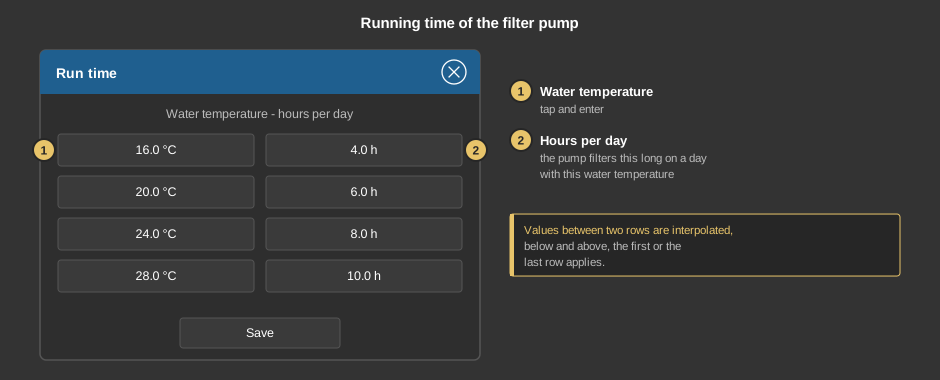
Between two rows the controller interpolates linearly, below the first and above the last row its value applies. The rows should be in ascending order of temperature. The defaults range from 16 °C with four hours to 28 °C with ten hours. Save transfers the values to the controller.
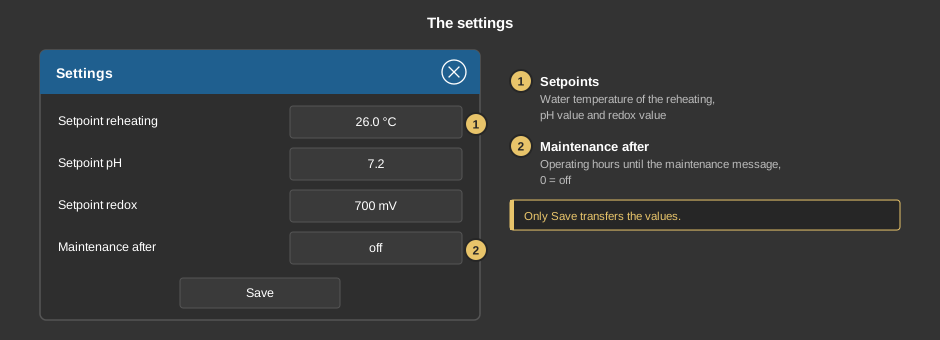
The values are only transferred to the controller with Save. They are stored there and survive a restart.
This section is meant for the installer of the system.
The control element is linked to the function block Block Pool: first create the function block and assign addresses to its inputs and outputs, then right-click the control element and select the function block. The addresses are taken over in the process and the text is set to the name of the block. Without a link, a tap on the element points this out.
Whether there is a cover is determined by the parameter Cover (Abdeckung) of the block. When heating and dosing take place also depends on the parameters Hysteresis auxiliary heating and Tolerance pH / redox: heating starts as soon as the water is the hysteresis below the setpoint and runs until the setpoint is reached; dosing only starts with a deviation larger than the tolerance. The runtime curve only applies with a linked water temperature, otherwise the parameter Runtime per day.
Display |
|
| View | Block, Basic Screen (ring only) or List (one row with text, pool symbol and ring). |
| Text | Caption of the tile and title of the dialog, default “Pool”. When linking, the name of the block is taken over. |
The addresses come from the link with the function block and need not be entered by hand:
| Info status Fault |
Outputs of the block; state text, colour and the lit buttons come from them. |
| Daily target runtime Runtime today |
Outputs of the block for the ring and the row Runtime today. |
| Water temperature Collector temperature pH value Redox value |
Optional. The measured values at the inputs of the block. Not linked: the dialog shows a dash, without water temperature the tile shows the pool symbol. |
Important: the measured values are read from the addresses at the inputs of the block. If an input is only wired internally to another block, the sensor counts as not present for the display.
See also General properties of all control elements.