 Block colour selector Scene RGBW
Block colour selector Scene RGBW
Block colour selector Scene RGBWWith this control element a coloured light runs through a sequence of several colours – for a garden party, for instance, or as mood lighting. Each colour is held for an adjustable time, on request with a smooth fade; at the end the sequence stops or starts again from the beginning.
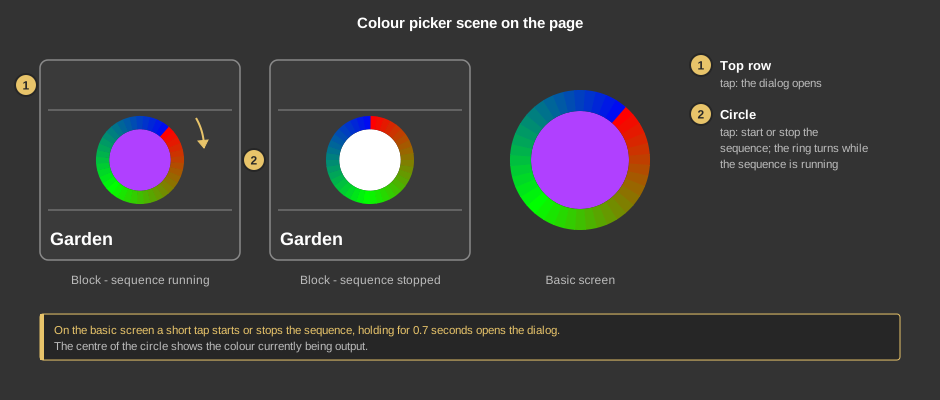
As a circle (basic screen) a short tap starts or stops the sequence, only holding for 0.7 seconds opens the dialog. If the element is set up that way, every tap opens the dialog there.
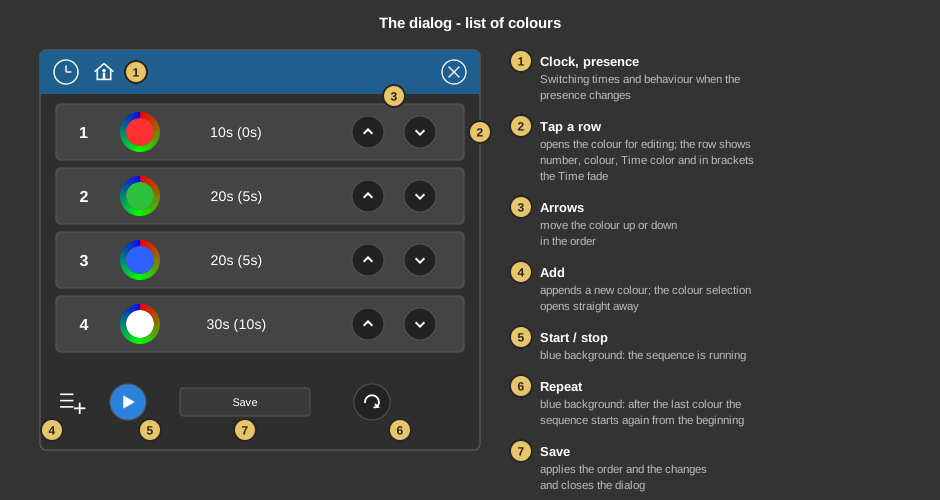
The dialog shows the colours of the sequence in their order. If there are more than four, the list can be scrolled with the finger.
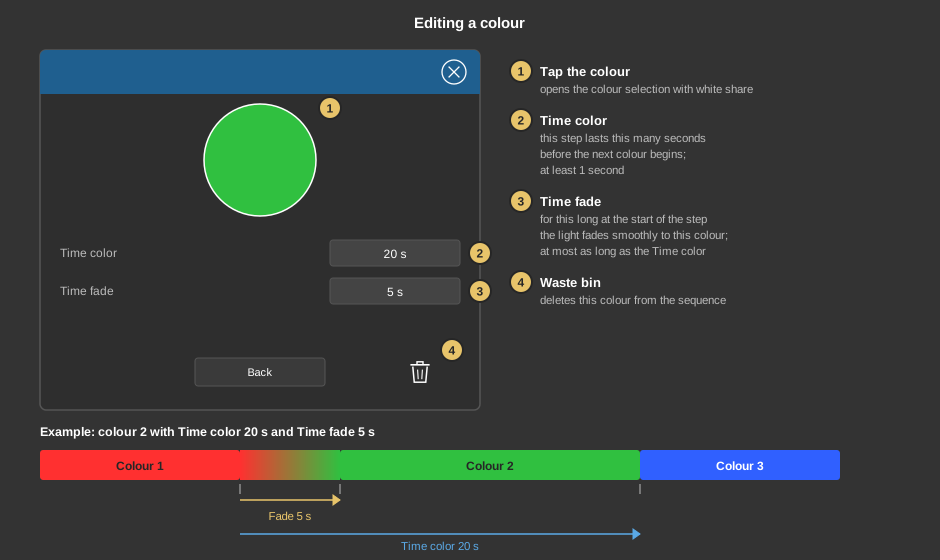
Back returns to the list; the changes are applied only with Save in the list.
Behind the clock are switching times that start or stop the sequence at a certain time. Behind the house you define for each presence state whether anything is switched when changing to it (tap the symbol) and whether the sequence then starts or stops (tap Start / Stop). Both are described in detail under Presence.
This section is meant for the installer of the system.
The control element is linked to the function block Block scene colour selector RGBW: first create the function block including its variables, then right-click the control element and select the function block. See also Presence.
Display |
|
| Scene selection | Defines whether the element can be selected in the control element Block Scene group. Default: on. |
| View | Block (tile) or Basic screen (circle). |
| Text | Caption of the tile. Its size scales with the element, a line break is inserted with \n, at most two lines. |
| Switching in basic screen | Only visible with the view basic screen, default: on. When ticked, a short tap starts or stops the sequence and holding for 0.7 seconds opens the dialog. When not ticked, every tap opens the dialog. |
Tip: If the transparency of the element is 0, a tap anywhere on it opens the dialog in the view block. This way the element can be laid invisibly over an image.
All variables sit at the function block.
See also General properties of all control elements.